
Crop
This one feels off but I don't know why.
Too much ceiling. Crop to just above your head and it goes from awkward to intentional.
One change, big difference
You don't need a new camera. Ashkam shows you the crop, the light and the angle that turn a decent photo into your best one.
Coming soon to iOS and Android.
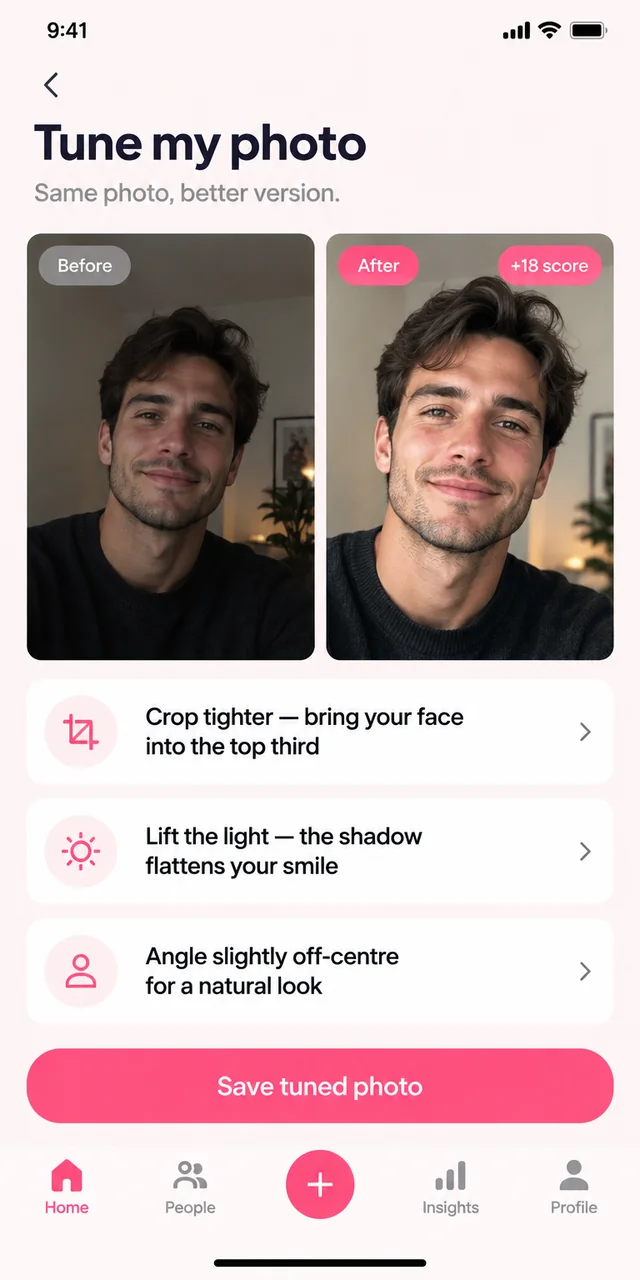
In action
Illustrative examples of the planned feature. Suggestions can be wrong; you choose what to share and send.
Crop
This one feels off but I don't know why.
Too much ceiling. Crop to just above your head and it goes from awkward to intentional.
One change, big difference
Light
My face looks flat in all of these.
You're shooting with the window behind you. Turn around so it's in front — same room, same shirt, far better photo.
No equipment needed
Angle
Everyone says I look tense in photos.
The camera is slightly below you. Raise it to eye level and look just past the lens instead of at it.
Specific, repeatable direction
Fixes work with your phone, your room and the photos already on it.
Exact framing advice instead of vague "zoom in a bit".
No photography jargon — just where to stand and which way to face.
When a shot can't be saved, Ashkam tells you exactly how to take it again.
Pick a photo you almost like
Ashkam names what's holding it back
Apply the crop, light or angle fix
Re-check the score before you post it
Let Ashkam help you understand the conversation, remember the details and make your next move with confidence.
Coming soon to iOS and Android.