
Dry answers
She's replying with one word. Is she out?
Not necessarily — her replies got short after 11pm both nights. Try: "You're clearly a morning person. Coffee this week instead of texting at midnight?"
Reads the pattern, not just the last text
Share the chat and Ashkam gives you a few honest ways to answer — reading the tone, the timing and where the conversation is actually going.
Coming soon to iOS and Android.
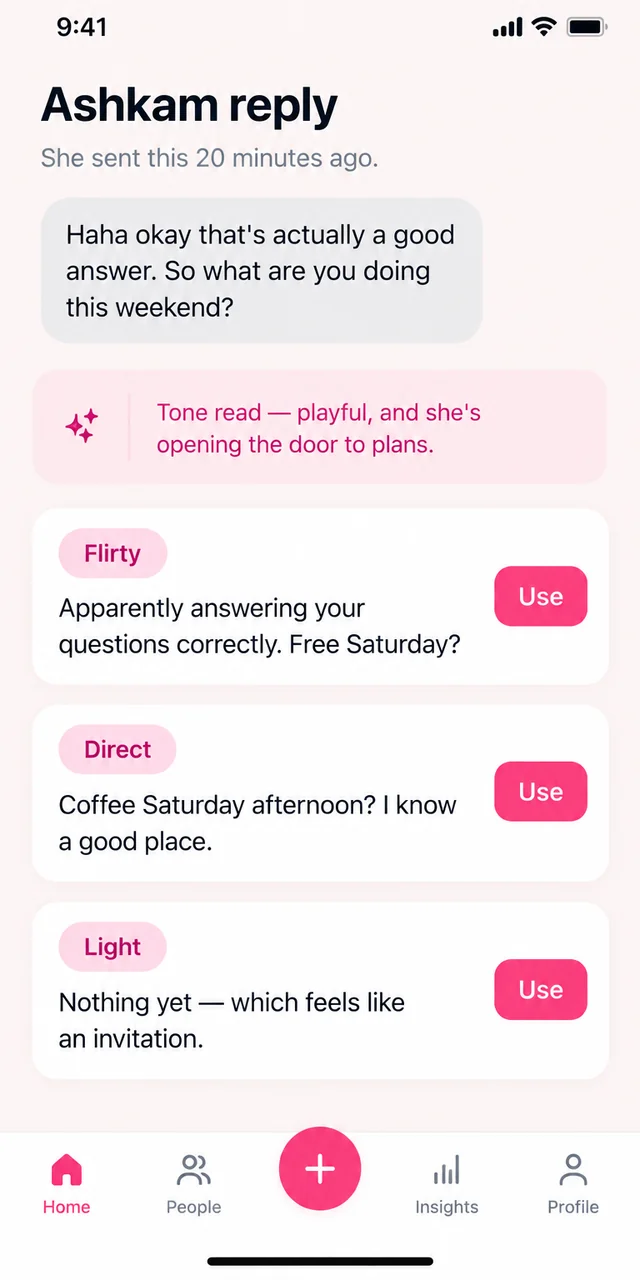
In action
Illustrative examples of the planned feature. Suggestions can be wrong; you choose what to share and send.
Dry answers
She's replying with one word. Is she out?
Not necessarily — her replies got short after 11pm both nights. Try: "You're clearly a morning person. Coffee this week instead of texting at midnight?"
Reads the pattern, not just the last text
Mixed signals
He said he's busy but sent a meme an hour later.
He's keeping contact without committing. Say: "No rush — tell me when your week calms down and I'll pick the place."
Keeps you warm, not waiting
Making the ask
We've been texting for a week. How do I ask her out?
You've both mentioned the same coffee place twice. Say: "We keep talking about that café — Thursday, 6pm, let's just go."
Uses what you already shared
You always get a few directions to pick from, never one script.
Ashkam matches your tone so the message doesn't read as written by an app.
Timing, tone and history all count — not just the last message.
If someone is pulling away, Ashkam tells you instead of coaching you into more effort.
Share a screenshot of the chat
Say what you want from it
Compare a few reply options
Edit and send in your own words
Let Ashkam help you understand the conversation, remember the details and make your next move with confidence.
Coming soon to iOS and Android.